

Maintenance
Introduction
The Maintenance extension allows administrators to display a custom maintenance page to visitors when the website is undergoing maintenance or updates. With this plugin, you can set up whitelist IPs and page paths to ensure that specific users or administrators can still access the website normally.
The latest version introduces enhanced design controls, automatic admin bypass, and full compatibility with Hyvä Themes. The frontend page supports displaying a maintenance progress bar and estimated end time, significantly improving the user experience.
Technical Requirements
- Magento: 2.4.x
- PHP: 8.1 or higher
- Dependencies: Requires
CodingAnts_Core.
Installation
Luma / Blank Theme
Hyvä Theme
To get the best experience on Hyvä (including Tailwind CSS and Alpine.js support), you need to install the compatibility module:
Recompile your active theme's Tailwind CSS:
Configuration
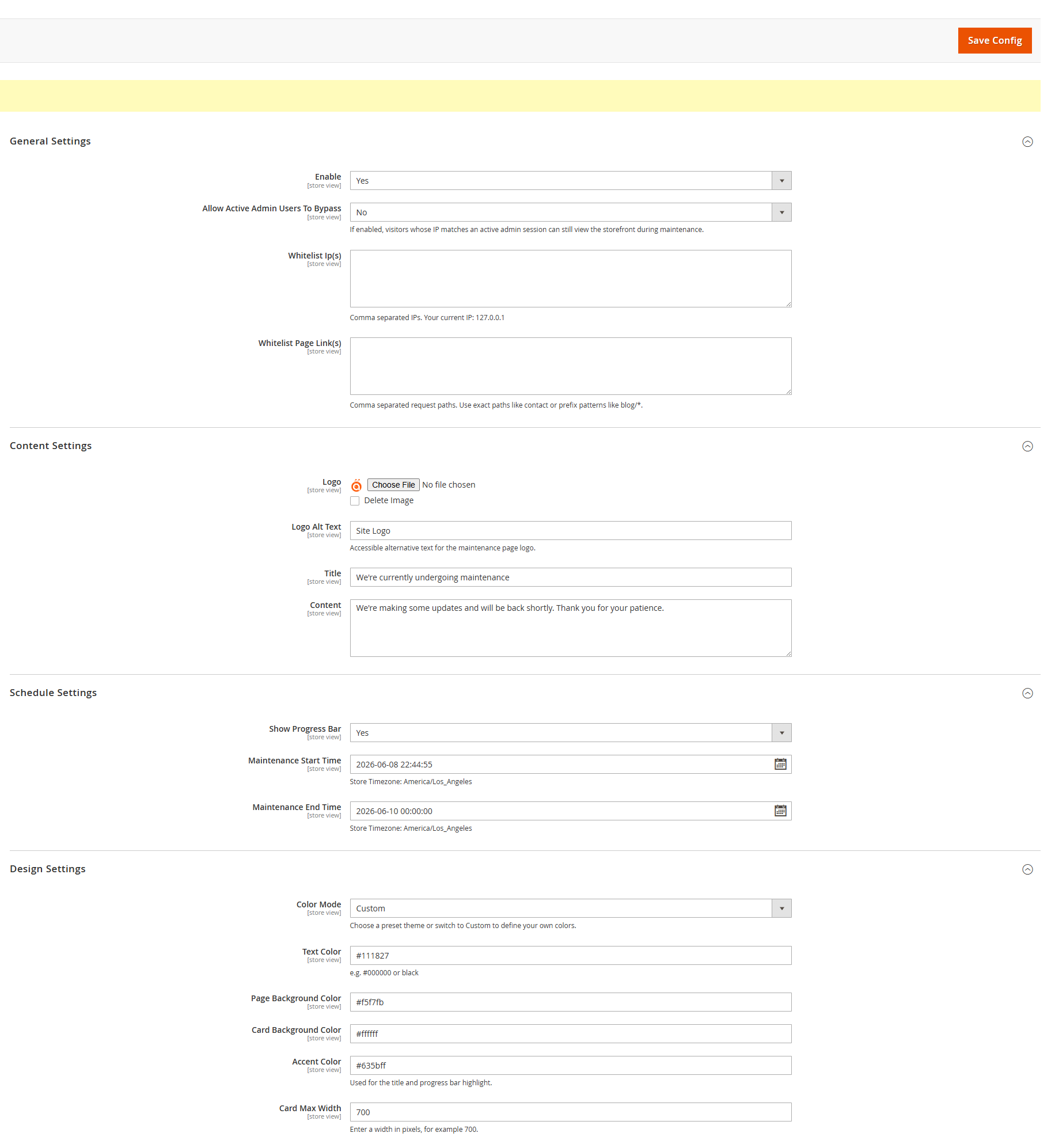
Please navigate to CODING ANTS > Maintenance > Configuration in the backend to configure.
General Settings
- Enable: Select
Yesto enable maintenance mode. Once enabled, all visitors except those on the whitelist will be redirected to the maintenance page. - Allow Active Admin Users To Bypass: If enabled, visitors with an active admin session will be able to view the storefront even when maintenance mode is active.
- Whitelist Ip(s): Whitelist IP addresses. IPs in this list will access the website normally. Supports multiple IPs separated by commas. Your current IP is displayed below the field for convenience.
- Whitelist Page Link(s): Whitelist page paths that should not be intercepted (e.g.,
contact,about-us). Supports prefix patterns likeblog/*.
Content Settings
- Logo: Upload the Logo image to be displayed on the maintenance page.
- Logo Alt Text: Accessible alternative text for the maintenance page logo.
- Title: The main title of the maintenance page (e.g., "We're currently undergoing maintenance").
- Content: The specific description or message for your visitors.
Schedule Settings
- Show Progress Bar: Whether to display the maintenance progress bar.
- Maintenance Start Time: The scheduled start time. Used to calculate the starting point of the progress bar.
- Maintenance End Time: The estimated completion time. Used to calculate progress and display the countdown/estimated time.
Design Settings
- Color Mode: Choose a preset theme or switch to Custom.
- Light: A clean, light-themed preset.
- Dark: A modern, dark-themed preset.
- Custom: Allows you to define your own color scheme.
- Text Color: Set the primary text color (Custom mode only).
- Page Background Color: Set the background color for the entire page (Custom mode only).
- Card Background Color: Set the background color for the central content card (Custom mode only).
- Accent Color: Used for the title, progress bar highlight, and key icons (Custom mode only).
- Card Max Width: Set the maximum width of the content card in pixels (e.g.,
700).
Frontend Effect
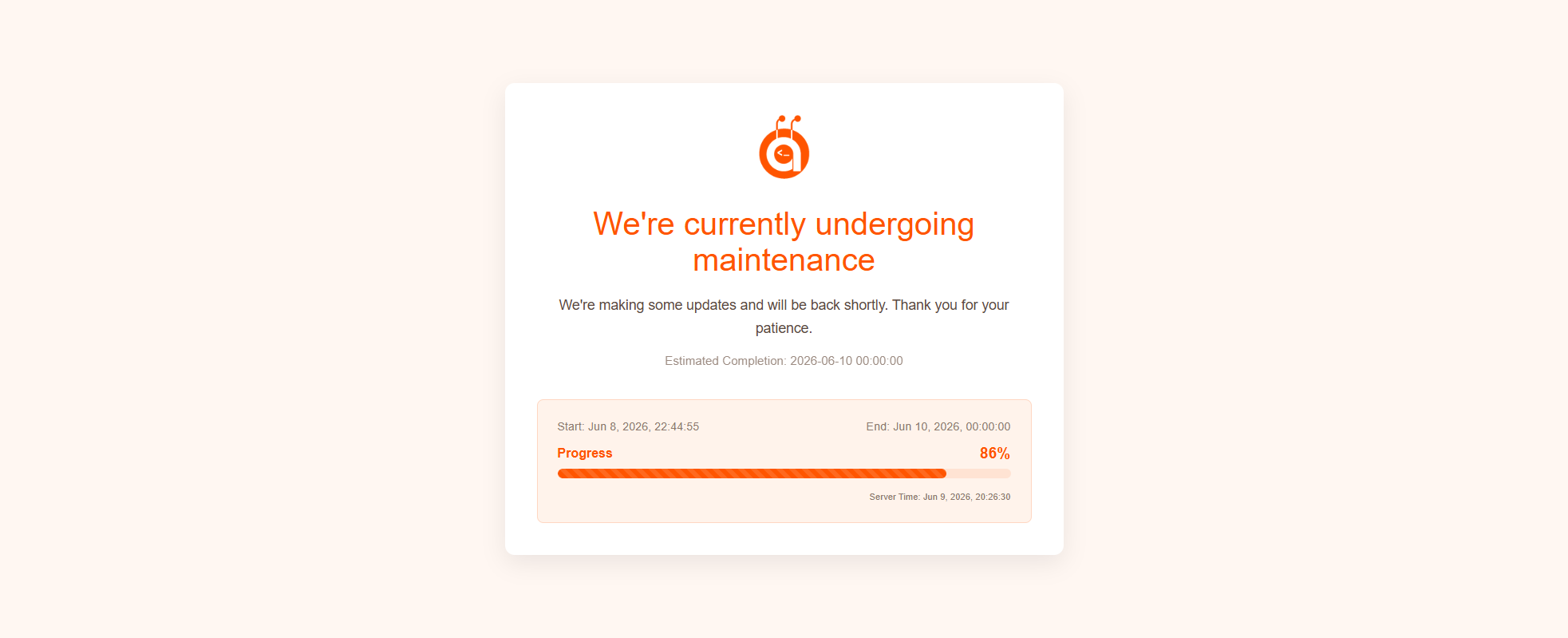
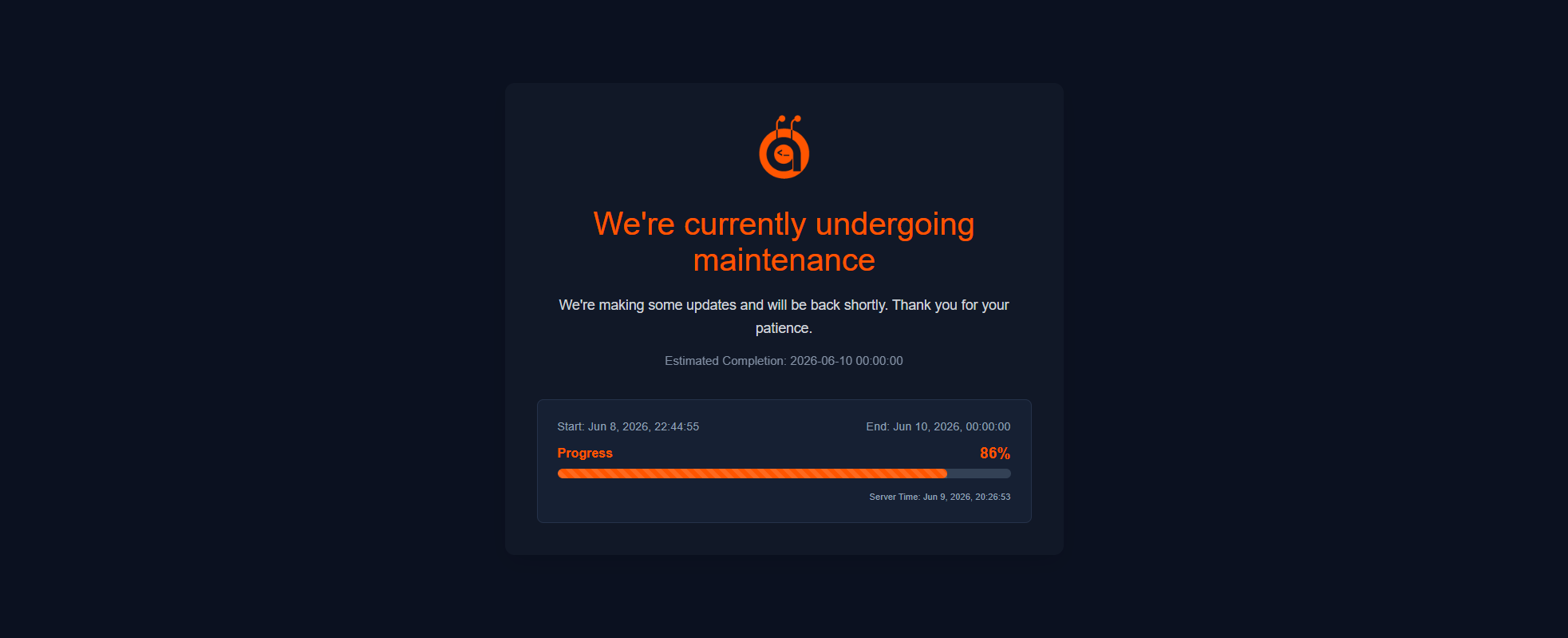
When maintenance mode is enabled, non-whitelisted users will see:
- A centered layout featuring your Logo, title, and description.
- A dynamic progress bar (if enabled) showing the current completion percentage and timeframes.
- A responsive design that works perfectly across mobile, tablet, and desktop devices.
Hyvä Theme Compatibility
By installing the CodingAnts_MaintenanceHyva module, the extension provides a specialized frontend experience optimized for Hyvä:
- Tailwind CSS: Fully styled using Tailwind utility classes to match your Hyvä theme's aesthetic.
- Alpine.js: Interactive elements like the progress bar are powered by Alpine.js for lightweight, jQuery-free performance.
- CSP Compliant: All scripts and styles adhere to Magento's Content Security Policy.
- Automatic Template Swapping: The module automatically detects the Hyvä theme and serves the optimized templates without manual configuration.