

Same Order Number
Introduction
The Same Order Number extension for Magento 2 allows store administrators to synchronize the increment IDs of Orders, Invoices, Shipments, and Credit Memos. By default, Magento assigns different numbers to these documents, which can cause confusion for both customers and administrators. This extension ensures that all related sales documents share the same number as the original order, making it easier to track and manage sales records.
Additionally, the extension provides flexibility to customize the starting number, increment step, and add custom prefixes to each document type.
Configuration
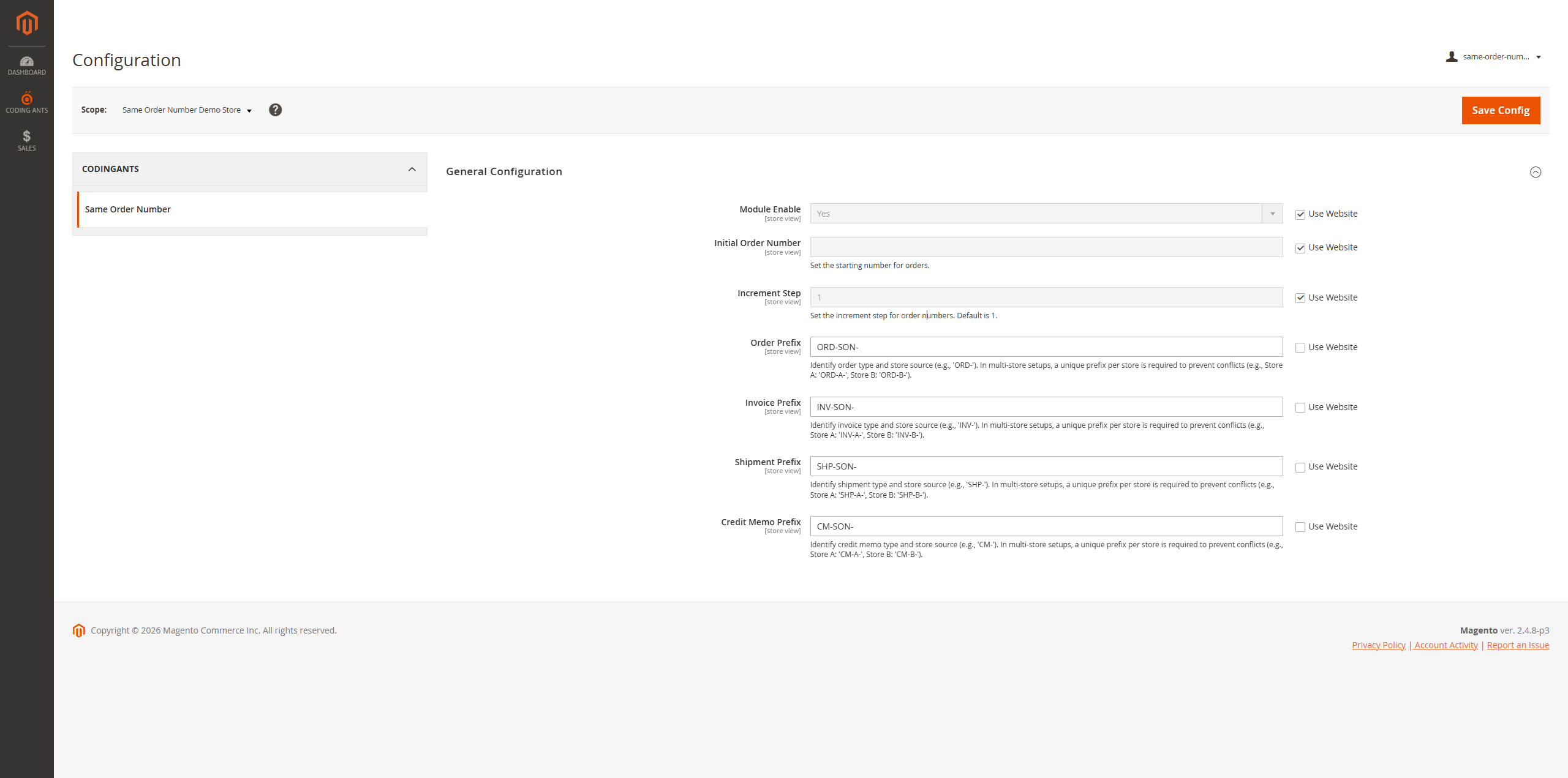
To configure the extension, navigate to Stores > Configuration > CODINGANTS > Same Order Number.
General Configuration
- Module Enable: Select
Yesto enable the extension. - Initial Order Number: Set the starting number for new orders. This is useful if you want to continue a sequence from a previous platform or start with a specific number range.
- Increment Step: Define the step by which the order number increases (default is 1). For example, if set to 10, order numbers will be 100000010, 100000020, etc.
- Order Prefix: Identify order type and store source (e.g.,
ORD-). In multi-store setups, a unique prefix per store is required to prevent conflicts (e.g., Store A:ORD-A-, Store B:ORD-B-). - Invoice Prefix: Identify invoice type and store source (e.g.,
INV-). In multi-store setups, a unique prefix per store is required to prevent conflicts. - Shipment Prefix: Identify shipment type and store source (e.g.,
SHIP-). In multi-store setups, a unique prefix per store is required to prevent conflicts. - Credit Memo Prefix: Identify credit memo type and store source (e.g.,
CM-). In multi-store setups, a unique prefix per store is required to prevent conflicts.
Effect
Once enabled and configured, the extension ensures that all sales documents created from an order will share the same numeric identifier, with their respective prefixes applied.
Consistent Document Numbers
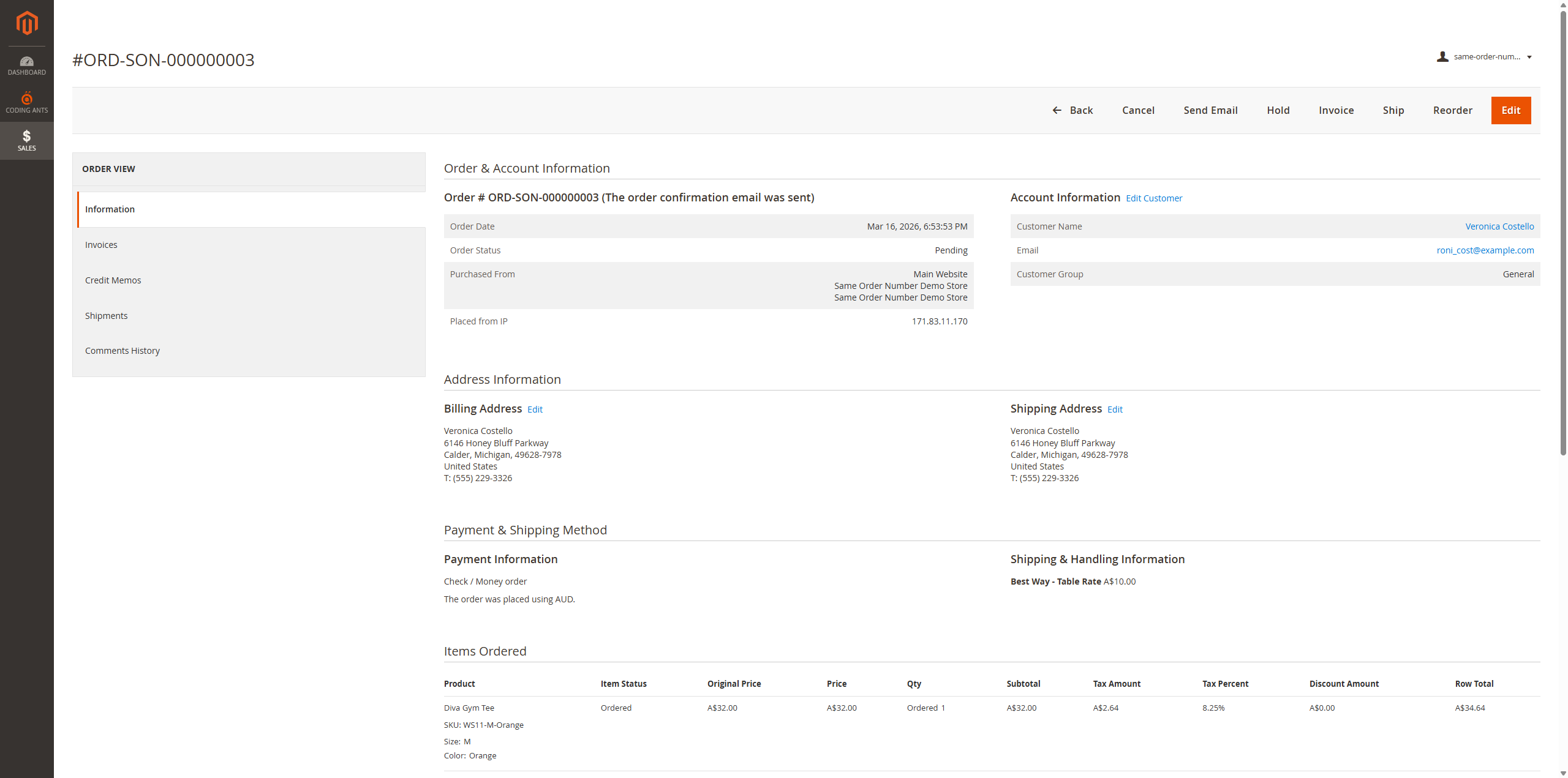
The following examples demonstrate how the extension synchronizes document numbers for Order #ORD-SON-000000003.
1. Order View
The order is created with the custom prefix ORD-SON-.
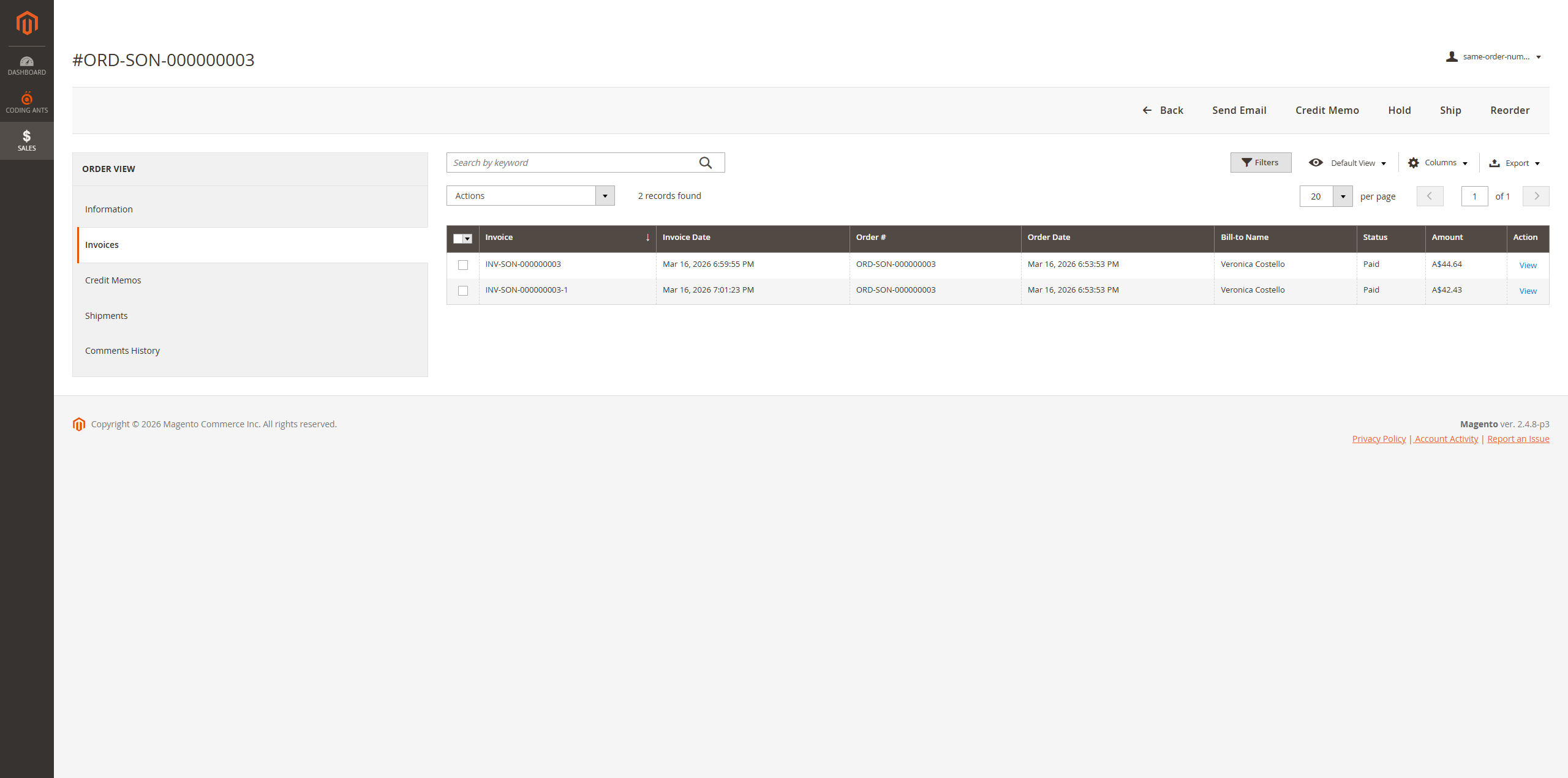
2. Invoices
The invoice inherits the order number sequence, using the prefix INV-SON-.
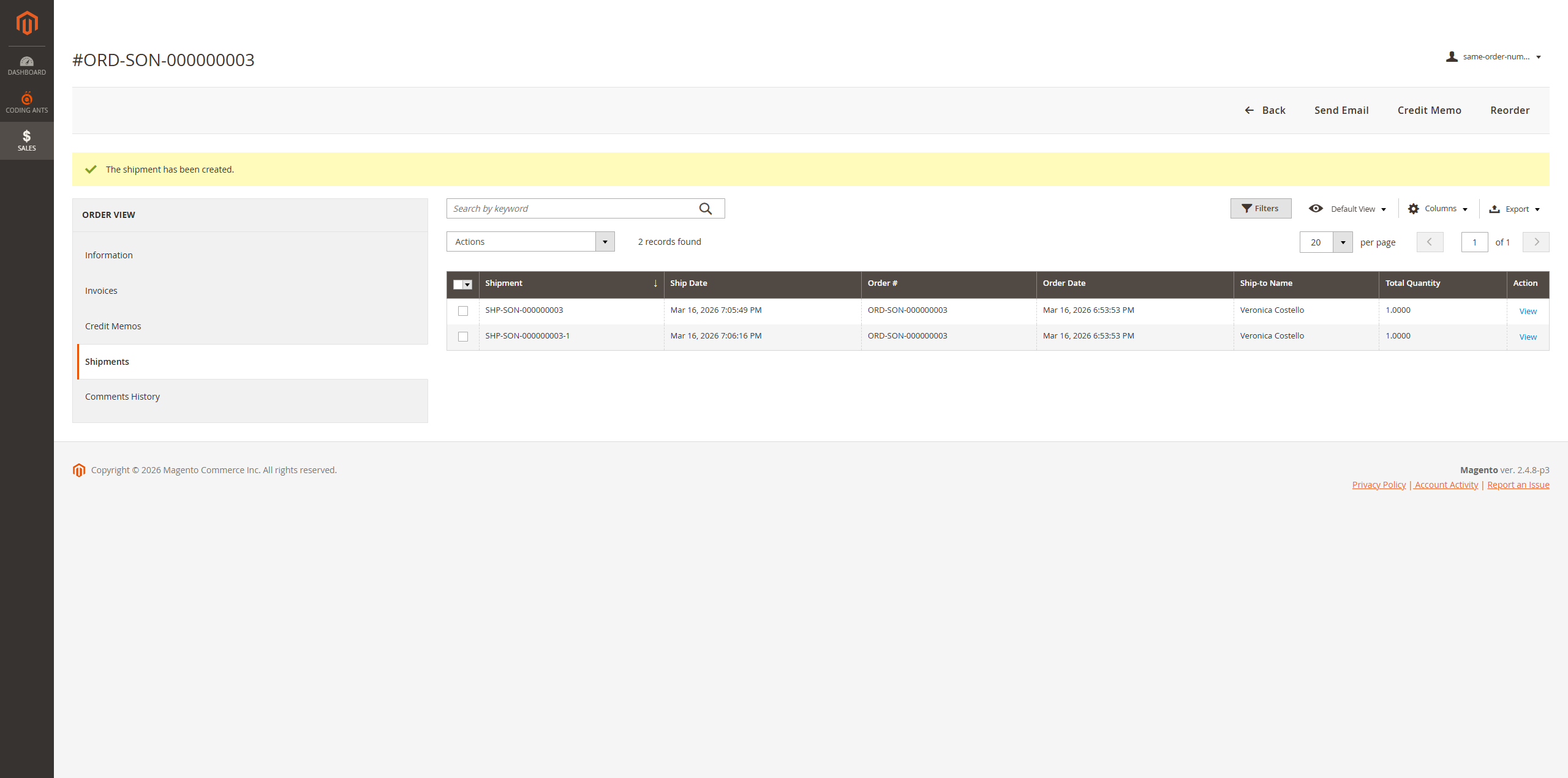
3. Shipments
The shipment also matches the order number sequence, using the prefix SHIP-SON-.
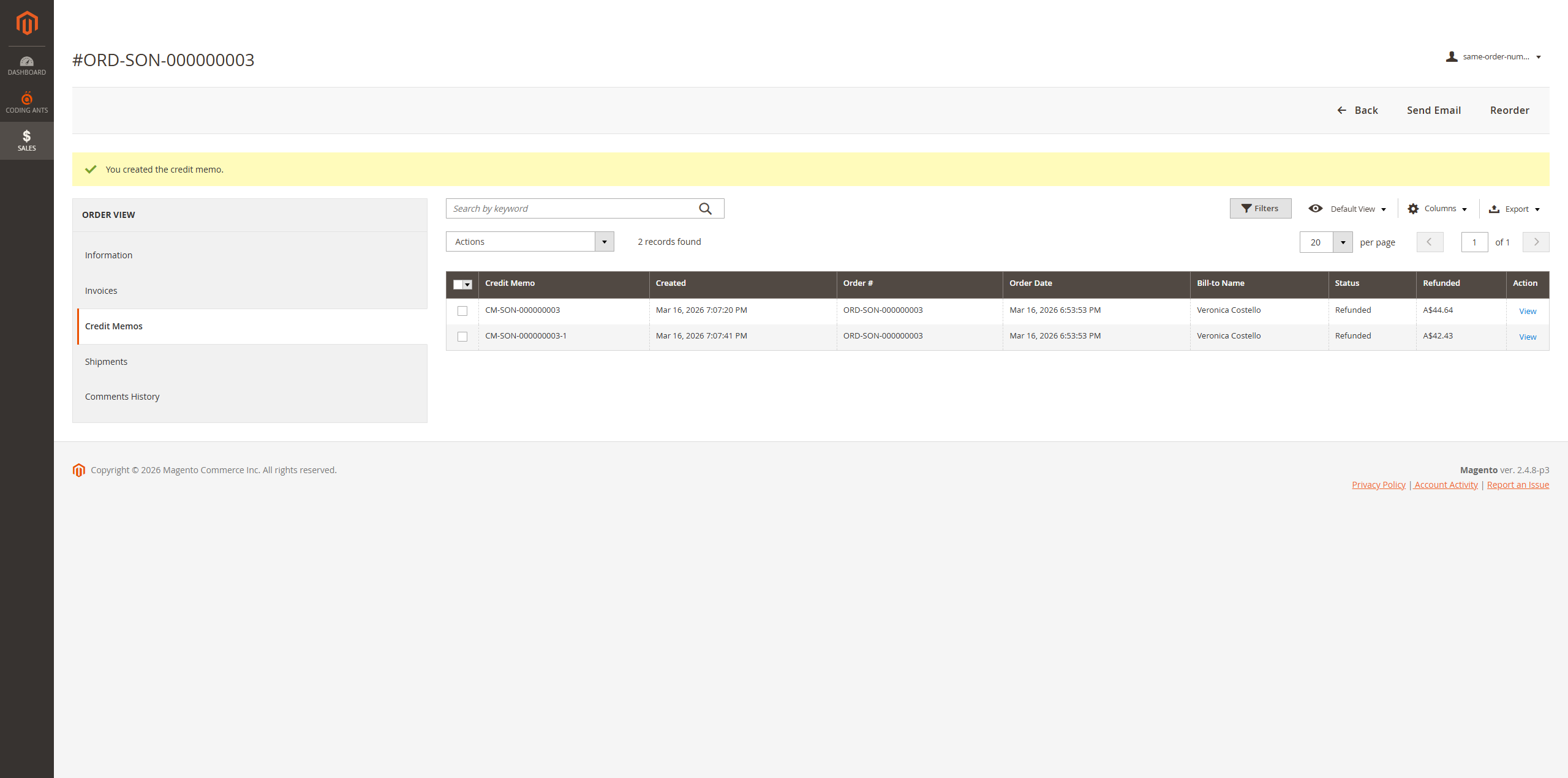
4. Credit Memos
The credit memo follows the same pattern with the prefix CM-SON-.
Handling Multiple Documents (Partial Actions)
When creating multiple invoices, shipments, or credit memos for a single order (e.g., partial invoicing, split shipments, or multiple refunds), the extension automatically handles numbering to maintain the relationship with the original order while ensuring uniqueness.
The first document retains the original number format. Subsequent documents for the same order will automatically append a suffix (-1, -2, etc.).
Example: If an order ORD-SON-000000003 has multiple invoices:
- 1st Invoice:
INV-SON-000000003 - 2nd Invoice:
INV-SON-000000003-1 - 3rd Invoice:
INV-SON-000000003-2
This logic applies consistently across all document types:
- Shipments: Useful for backorders or when items are shipped from different warehouses.
- Credit Memos: Useful when refunding items separately over time.