

Maintenance
Introduction
The Maintenance extension allows administrators to display a custom maintenance page to visitors when the website is undergoing maintenance or updates. With this plugin, you can set up whitelist IPs and page paths to ensure that specific users or administrators can still access the website normally. Additionally, the frontend page supports displaying a maintenance progress bar and estimated end time, improving the user experience.
Configuration
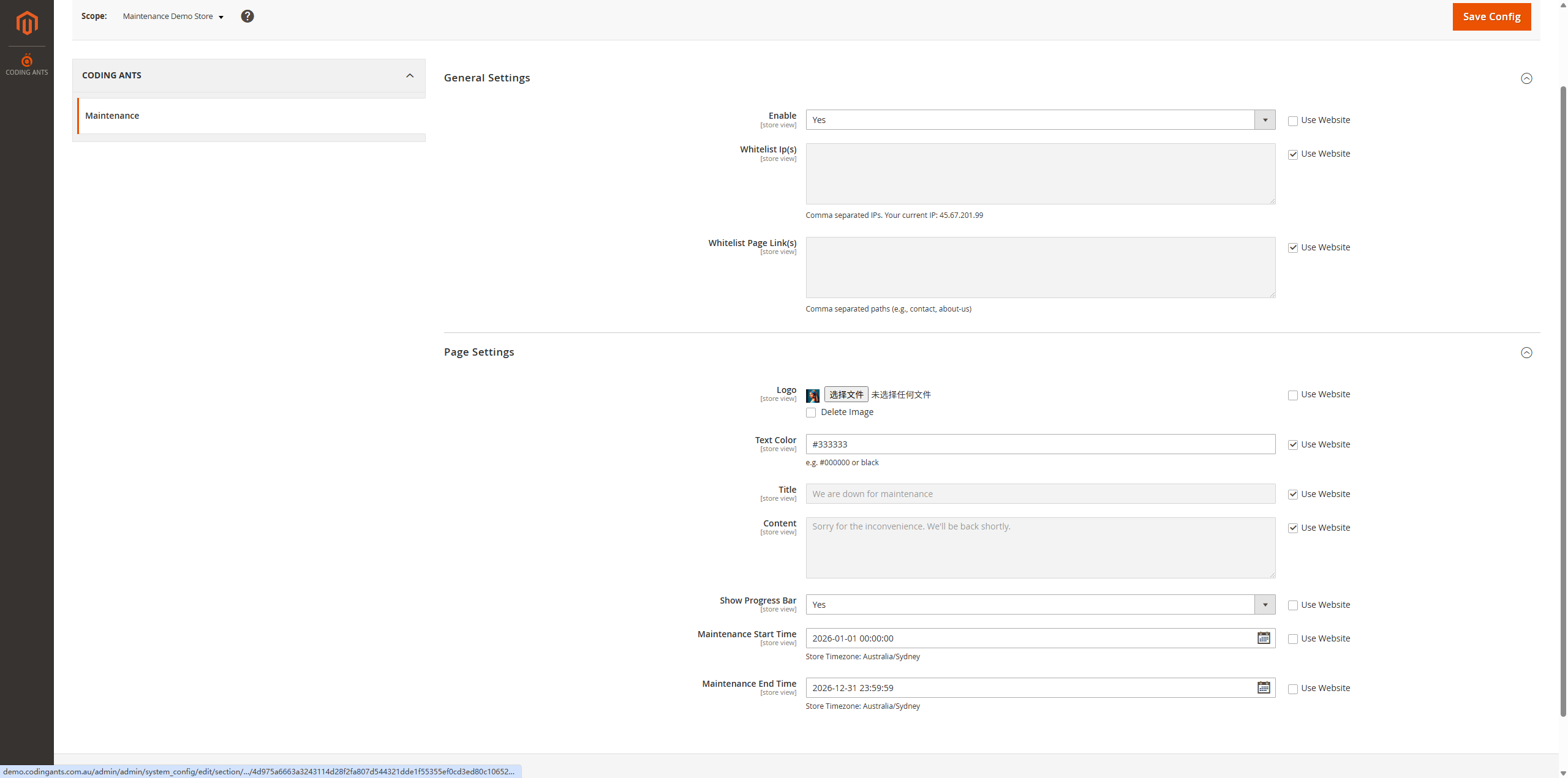
Please navigate to CODING ANTS > Maintenance > Configuration in the backend to configure.
General Settings
In this section, you can enable maintenance mode and set whitelist rules:
- Enable: Select
Yesto enable maintenance mode. Once enabled, all visitors except those on the whitelist will be redirected to the maintenance page when accessing the website. - Whitelist Ip(s): Whitelist IP addresses. IPs in this list will not see the maintenance page when accessing the website, but will access the website normally.
- Supports multiple IPs, please separate them with commas.
- Your current IP address will be automatically displayed below for easy copying.
- Whitelist Page Link(s): Whitelist page paths. Set page paths that are not intercepted by maintenance mode (e.g.,
contact,about-us).- Supports multiple paths, please separate them with commas.
Page Settings
In this section, customize the appearance and content of the maintenance page:
- Logo: Upload the Logo image to be displayed on the maintenance page. If not uploaded, the default style or no Logo will be displayed.
- Text Color: Set the page text color (e.g.,
#333333). Supports direct input of color codes or using the color picker. - Title: The main title of the maintenance page (e.g., "We are down for maintenance").
- Content: The specific description content of the maintenance page (e.g., "Sorry for the inconvenience. We'll be back shortly.").
- Show Progress Bar: Whether to display the maintenance progress bar. Selecting
Yeswill display the progress based on the set start and end times. - Maintenance Start Time: Maintenance start time. Used to calculate the starting point of the progress bar.
- Maintenance End Time: Maintenance estimated end time. Used to calculate the end point of the progress bar.
Frontend Effect
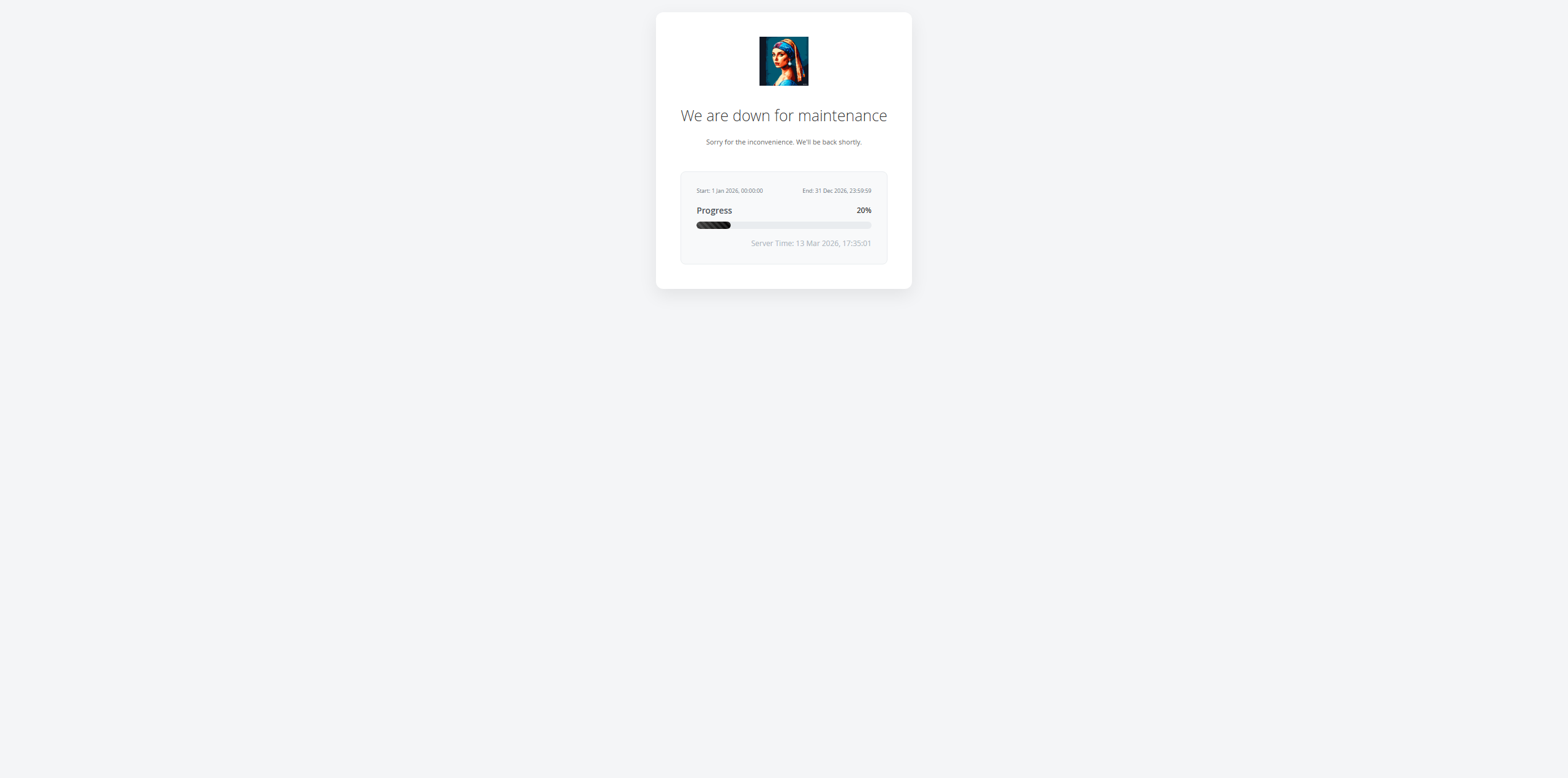
After enabling maintenance mode, non-whitelist users accessing the website will see the following interface:
- The page displays the configured Logo, title, and description text in the center.
- If the progress bar is enabled, users can see the maintenance start/end times and the current progress percentage.
- The bottom of the page will display the current server time for reference.
- The page design is simple and modern, ensuring users understand that the website is under maintenance and are aware of the approximate recovery time.